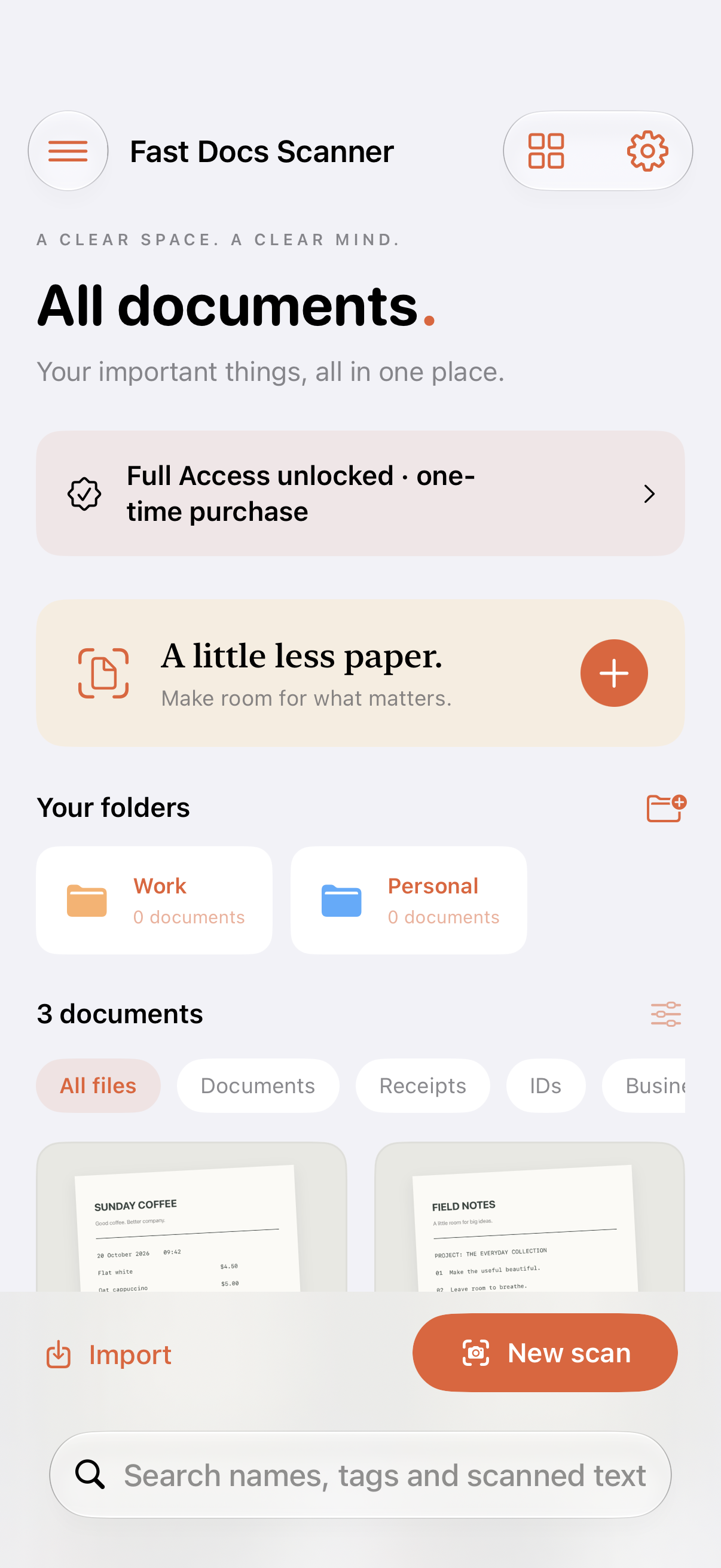
01 / KEEP IT TOGETHER
A place for every page.
Scan multiple pages, or import images and PDFs. Folders, tags and favorites keep everything easy to find.
View screenshot ↗A LIGHTER EVERYDAY / COMING SOON
 Fast Docs Scanner
Turn the papers you need into documents you can find. Scan, tidy, sign and share — right from your iPhone or iPad.
Coming to the App Store · iPhone & iPad · iOS 18 or later
FROM THE FIRST SCAN TO THE FINAL SEND
Receipts, notes, forms and the things you want to keep. Give them a home that fits in your pocket.
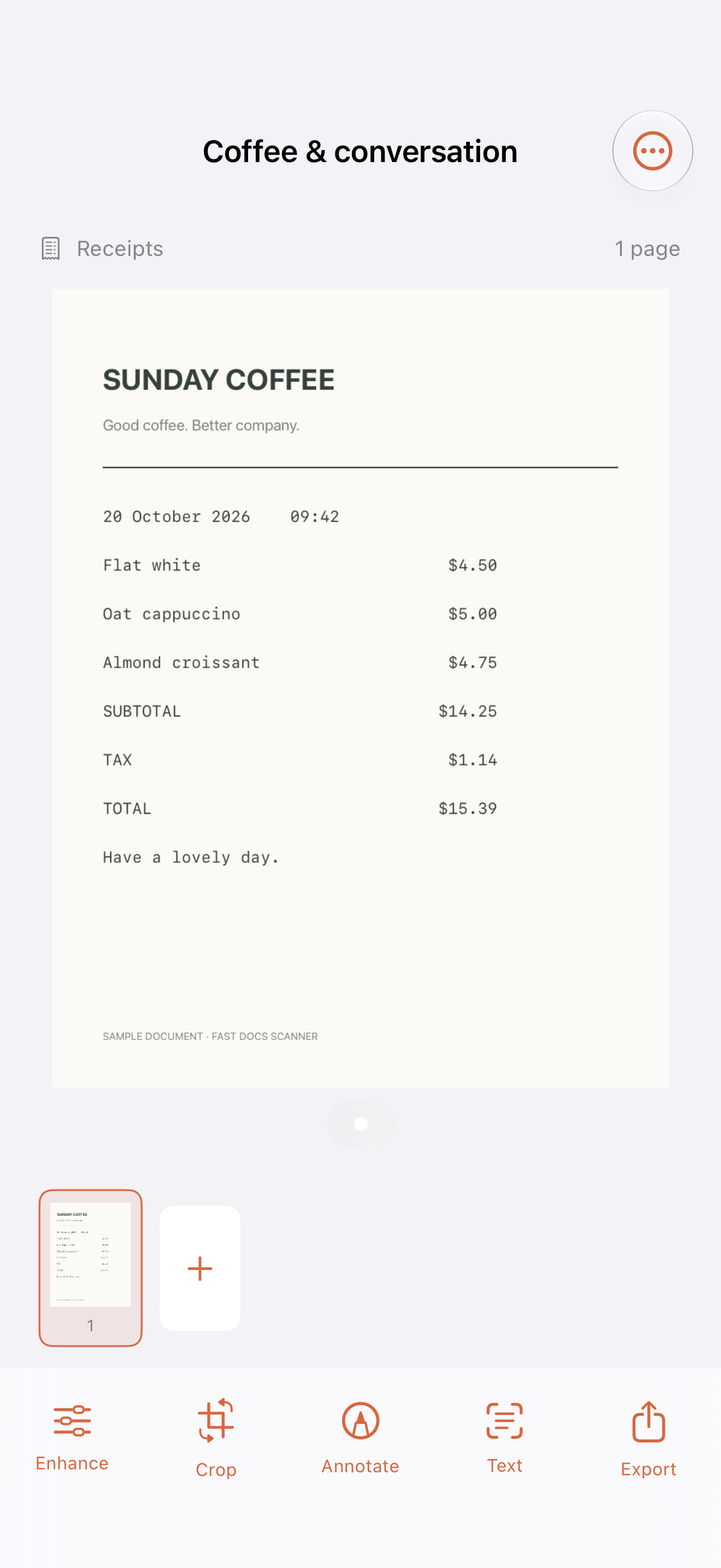
01 / KEEP IT TOGETHER
Scan multiple pages, or import images and PDFs. Folders, tags and favorites keep everything easy to find.
View screenshot ↗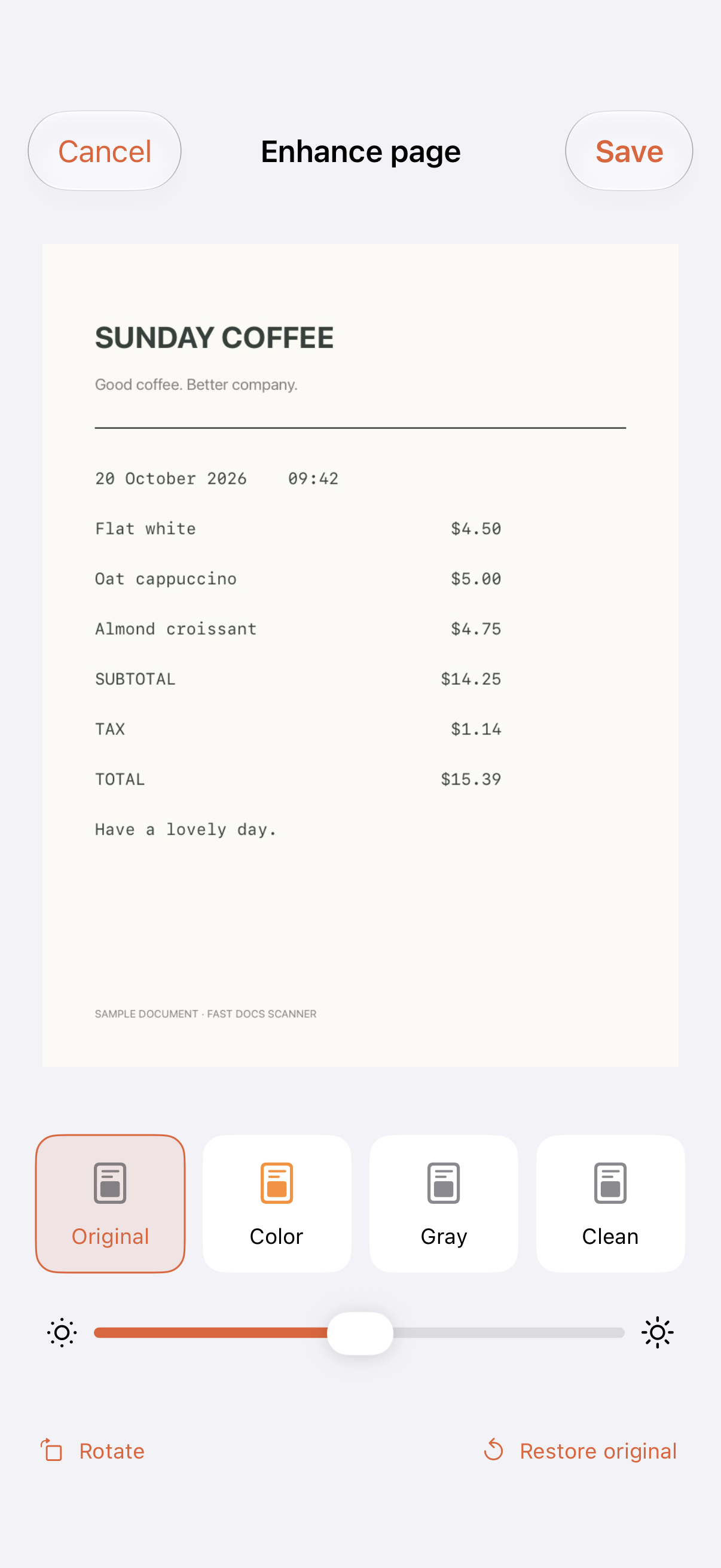
02 / MAKE IT CLEAR
Automatic edges and perspective correction when you scan. Then crop, rotate, adjust brightness and choose a clean finish.
View screenshot ↗03 / FINISH & SEND
Add notes, highlights or a drawn signature. Export a searchable PDF, share images or text, or print directly from the app.
View screenshot ↗MEET YOUR NEW PAPER ROUTINE
A short tour of Fast Docs Scanner.
Actual app screens. Sample documents.
Fast Docs Scanner. A little less paper. Keep your documents together with folders, tags and favorites. Make every page clearer with crop, rotate and clean filters. Find the words with on-device text recognition and searchable PDF export. Mark it up. Share it out. Notes, highlights and a drawn signature. Seven days to try it all. US$19.99 Full Access, once. No subscription. Coming soon to iPhone and iPad.
SMALL DETAILS. EVERYDAY DIFFERENCE.
Useful tools, right where your documents are.
On-device text recognition makes scanned text searchable. Copy the words you need and export searchable PDFs.
Optional iCloud sync keeps documents, folders and workflows together across your iPhone and iPad. Updates sync while the app is open.
Export PDF, JPEG, text, DOCX or PowerPoint. Save to Files, print, share or upload to a configured WebDAV server. DOCX exports recognized text; PowerPoint uses page images.
Scanning and text recognition happen on your device. Add Face ID or device passcode protection, and choose when to sync or share.
A SIMPLE WAY TO GET STARTED
Try all features free for seven days. Then unlock Full Access with a one-time purchase.
Buy early if you like. Your trial never turns into an automatic charge.
FULL ACCESS / ONE-TIME PURCHASE
US$19.99
No subscription. No recurring payment.
Planned US launch price. Apple shows the current price in your local currency before you confirm a purchase.
How the trial works ↗Full Access is needed to keep scanning, importing, editing and using the tools. You can still view, search, copy text from, export and print your existing documents. You can also manage documents in Trash.
Yes. Open Full Access in the app and choose the one-time purchase whenever you are ready.
Scanning, organizing and text recognition work on your device. iCloud sync, purchases and online sharing need a connection.
Read the Fisioniq privacy policy.
FAST DOCS SCANNER
Coming soon to iPhone and iPad.
We’re here to help ↗